
Ashe County Court Calendars Explained
Ashe County does not run its own docket calendar. It relies on the North Carolina Judicial Branch calendar system instead. That service posts Ashe civil calendars and Ashe criminal calendars separately. A posting can point you to a session or a group of cases. The eCourts Portal offers a different angle. Its Search Hearings tool hunts for scheduled settings by location, hearing type, search type, and date range.
So which tool answers which question? A calendar is a published schedule for a civil or criminal session. A hearing search is built to locate a specific setting. A Register of Actions, also called a Case Summary, may include a Hearings section when hearing data exists. None of these views replaces your notice. Nor does it replace a prompt call to the Ashe County Clerk of Superior Court when travel, attendance, or a recent change is involved.
Ashe County Civil and Criminal Calendars
The calendar host lets you narrow a docket search to Ashe County and to one case type. That keeps results from drifting into a statewide list. Take the civil route for posted civil sessions. Take the criminal route for posted criminal sessions. Even so, a calendar entry is only a lead. The official service warns that online postings may not be complete and may lag behind late changes at the courthouse. The civil and criminal calendar service is where the official session view comes from. Treat it as a schedule of court dates. Do not treat it as a promise of individual notice or a final hearing setting.
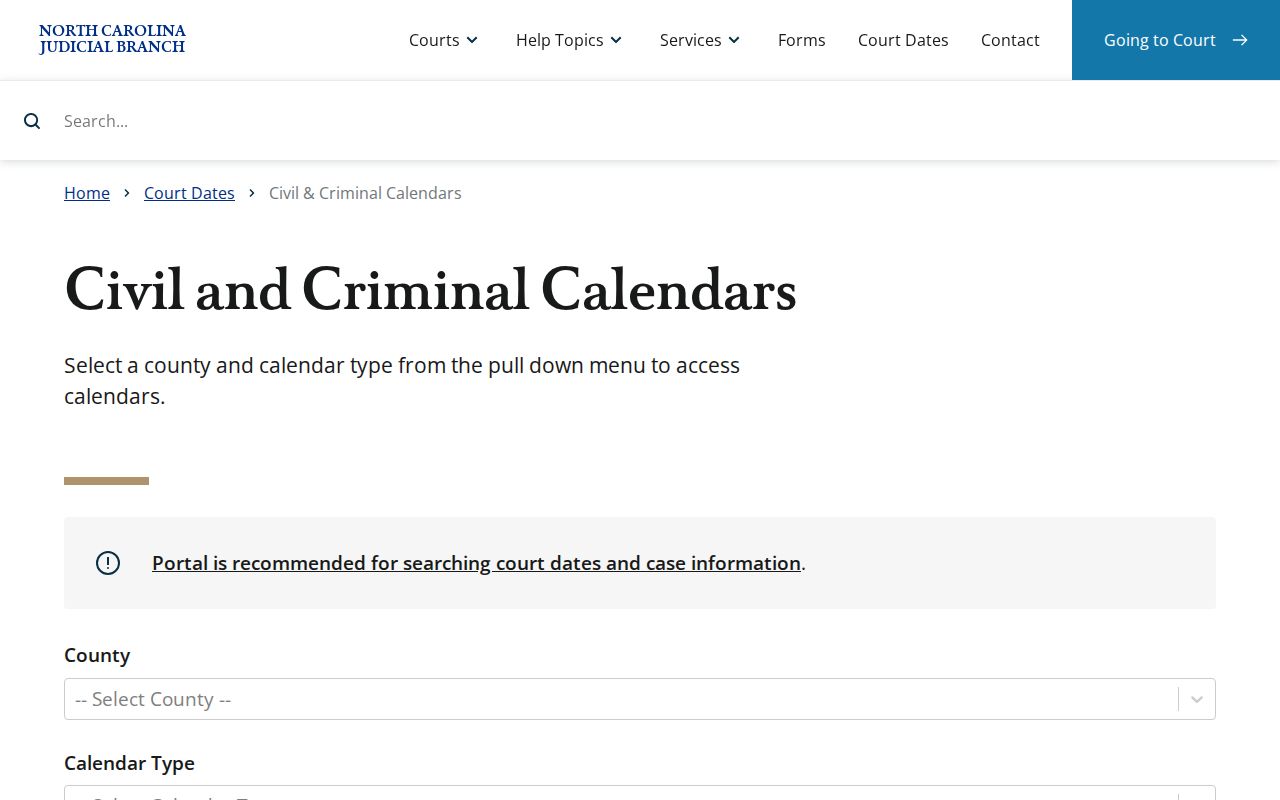
For an Ashe County court calendar question, first match the case's civil or criminal character to the right calendar. Then compare whatever you find with current case information. A result that looks stale, thin, or off calls for a fresh Portal check or a word with the clerk.
Note: A posted calendar helps locate a court session. But it is not the final authority on a changed individual setting.
Finding Your Court Date
Gather your citation, summons, mailed notice, or case number before starting an Ashe County court-date lookup. Each channel has a job. The case notice carries the initial details. The Portal gives a hearing or case view. The county calendar shows a posted session, and the clerk gives a current local answer. The steps here cover both the online and in-person routes.
- Read the notice, citation, summons, or current Register of Actions for the case number and any written setting. Preserve the court type and date already printed there.
- Open the eCourts Portal and use Search Hearings. Select Ashe as the location, choose the hearing type and search type, then set a date range. A complete case number is the narrowest search when available.
- Check the official Ashe civil or criminal calendar route for a posted session. Use the calendar as a cross-check, especially when the question is whether a session is published.
- At the courthouse, ask the Ashe County Clerk of Superior Court about the public record or hearing information available through the clerk and courthouse-terminal route. That is the in-person fallback when a Portal result is absent or unclear.
- Call the clerk at (336) 219-1400 for local confirmation if a notice conflicts with a web result, a continuance is suspected, a closure occurred, or the date is time-sensitive.
The Judicial Branch's court-date information also tells people affected by a closure or a missed date to contact the county clerk about local rescheduling. And a date pulled from an old calendar row? Never assume it is the present setting.
Ashe County Court Hearing Search Fields
Search Hearings is its own eCourts Portal function. It is not Smart Search. Per the official Portal guide, a hearing query starts with a location, a hearing type, and a search type, then narrows by the relevant details and date range. For an Ashe setting, Ashe County is the location to choose. The guide does not lock in the current result columns, so do not expect every result to display the same details.
| Portal field | Input | When required | Ashe calendar use |
|---|---|---|---|
| Search Type | Selector | Required | Choose Case Number, Party Name, Business Name, Attorney Name, Attorney Bar Number, Judicial Officer, or Courtroom. |
| Location | Selection | Required | Select Ashe County when the hearing is assigned locally. |
| Hearing Type | Selection | Required | The guide shows it as an early required choice; it does not confirm a complete current menu. |
| Case Number | Text | For a case-number search | Use the complete Odyssey number when known. |
| Last Name / First Name | Text | For a party-name search | Enter the names in separate fields. |
| Date From / Date To | Date inputs | Shown in the illustrated workflows | Use a narrow range around the expected setting. |
Searching by judicial officer or courtroom helps only if you already know that detail. The guide lists state courtrooms and recommends a specific room. It does not back inventing an Ashe courtroom number, and a generic room search is no stand-in for a case number.
How to Read a Court Setting
A setting is a scheduled court event, nothing more. It is not necessarily the final hearing in a case. Read it alongside your notice and the Register of Actions. Portal may show a Hearings section when information is available. Search Hearings, by contrast, locates dates through several keys. Some fields come straight from the official search instructions. Others still need confirmation from the case notice or the clerk.
| Date | The scheduled calendar date. Compare it with the most recent notice and current Portal information. |
|---|---|
| Time | The listed time for the court event. A converted legacy display can require clerk confirmation if it seems implausible. |
| Courtroom | A Search Hearings search option when a specific room is known; do not assume a room from an unobserved result layout. |
| Judicial officer | A hearing-search option used to narrow a query. It does not by itself confirm which official will preside. |
| Setting type | The kind of event, such as arraignment, initial appearance, pretrial hearing, motion hearing, plea, trial, disposition, or continuance. |
The setting type is your best clue to why a case appears. It says nothing about the outcome. A trial setting, for instance, can be continued later. A clean record number plus a fresh clerk confirmation beats reading too much into one calendar line.
Ashe County Court Calendar Terms
North Carolina's public materials explain several plain terms. Those terms make an Ashe County court calendar easier to read. The terms separate a published schedule from the chronological case-event summary. The same words can show up across case types. That is why the surrounding Register of Actions and your notice still matter.
- Calendar
- A published schedule of court sessions or matters. It can help locate a setting but is not a replacement for the current case status.
- Register of Actions
- The Portal’s public Case Summary of docket entries based on the clerk’s official record, rather than the official record itself.
- Continuance
- A postponement approved through court procedure to a later date or term.
- Reset
- A later setting that replaces or supplements an earlier setting.
- Pretrial hearing
- A court event before trial that can address procedural, scheduling, or motion issues.
In a public case view, "Pending" means the matter is still open or awaiting a procedural step. It says nothing about the merits. Likewise, a calendar listing is not proof a case will move forward unchanged that day.
Continuances, Resets, and Cancellations
A posted Ashe County court date is not carved in stone. A continuance postpones it. A reset replaces it with a later setting. Weather closures can shuffle things too. After a closure, the Judicial Branch says a new date usually comes by mail. The county clerk handles the local procedure. So check the Portal hearing view and the posted calendar. But call the clerk when the change is urgent.
The Ashe local-rules page offers a few limits worth knowing. It links civil case-management material and a continuation policy covering civil and criminal District Court cases. A Superior Court Request To Calendar form appears there too. Those papers describe local procedure. They do not let any party move a setting alone. A request may still be denied.
Need the filing history behind the date? The public summary lives at Ashe County Case Lookup. Confirm the hearing itself through Search Hearings, the posted calendar, or the clerk.
Ashe County Court Calendar Plans
Some Ashe calendar papers still carry the old "Judicial District 23" label. The current Judicial Branch directory puts Ashe in District 34. Treat the older name as a leftover document label. Nothing more. For present operations, trust the current court directory and the clerk.
The legacy-labelled Criminal Superior Court Case Docketing Plan publishes trial calendars at least 10 working days before a trial session. Its written criminal continuance requests generally use AOC-CR-410. They are normally due by 5:00 p.m. on the Wednesday before the session. The civil plan names written AOC-CV-220 continuance requests. It also points to VCAP and civil scheduling details kept by the Clerk and Trial Court Coordinator. These describe published plans only. No plan promises a result in any single case.
One caution: old labels give procedure context. The current Ashe County court date still needs confirming through present court channels.
If You Miss a Court Setting
Missed an Ashe County setting? Act fast. Keep the notice or citation somewhere safe. Then contact the Ashe County Clerk of Superior Court and ask about the case's current status and how rescheduling works locally. Search Hearings and the posted calendar can show what was scheduled, though they may miss a late change. The state court-date materials send anyone who missed a date straight to the county clerk.
Missed a Setting? A missed court date can have case-specific consequences, and traffic matters can involve state reporting consequences after the statutory process.
Call the Ashe County Clerk of Superior Court at (336) 219-1400 promptly to learn the current case status and whether court action is required.
Do not rely on an old calendar row or presume that an online entry resolves the missed appearance.
A closure, or a date that changed without clear notice, calls for the same sequence. Start with the current official tools. Then ask the clerk about local procedure. The clerk holds the county case file and can address the available record path where a public view falls short.
Ashe County Clerk Confirms Court Dates
The Ashe County Clerk of Superior Court confirms court dates for Superior Court and District Court records. That fallback role sits at the county courthouse. The official court directory lists the clerk at the Ashe County Courthouse, 150 Government Circle, Suite 3100, Jefferson, North Carolina 28640. The main number is (336) 219-1400. Go local when a Portal result is restrictive. The same advice holds when a physical file is old, calendars conflict, or a setting is time-sensitive.
Ashe joined eCourts on July 21, 2025. Public electronic searching now starts in Portal rather than a stand-alone local docket system. The eCourts rollout announcement names Portal and eFiling as part of the change. Portal shows available public information. Yet its Register of Actions is not a certified court record. Ask the clerk for an official or certified copy when you need one.